Category Archives: GSM

2G / Global System for Mobiles

Magic SIM Card Art

16 in 1 Magic SIM Card Revisited

I found a “16-in-1 Super SIM X-SIM” in my SIM card drawer, I think I ordered these when I was first playing with GSM and never used it.
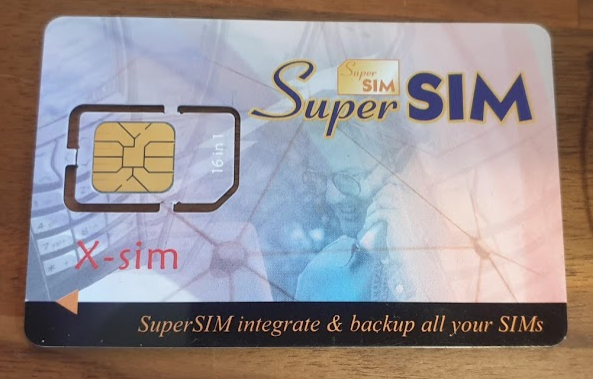
I was kind of curious about how these actually worked, so after some online sleuthing I found a very suspicious looking rar file, which I ended up running in a VM and mapping the Card Reader to the VM.

What a treat I was in for in terms of UI.
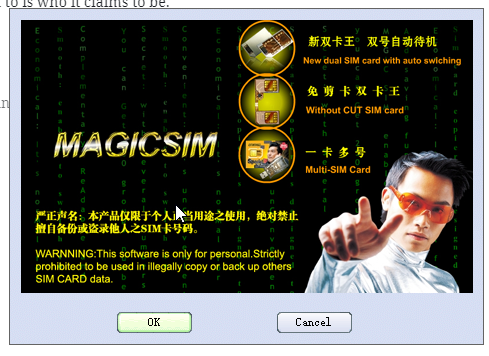
The concept is quite simple, you program a series of IMSI and K key values onto the SIM card, and then using a SIM Toolkit application, you’re able to select which IMSI / K key combination you want to use.
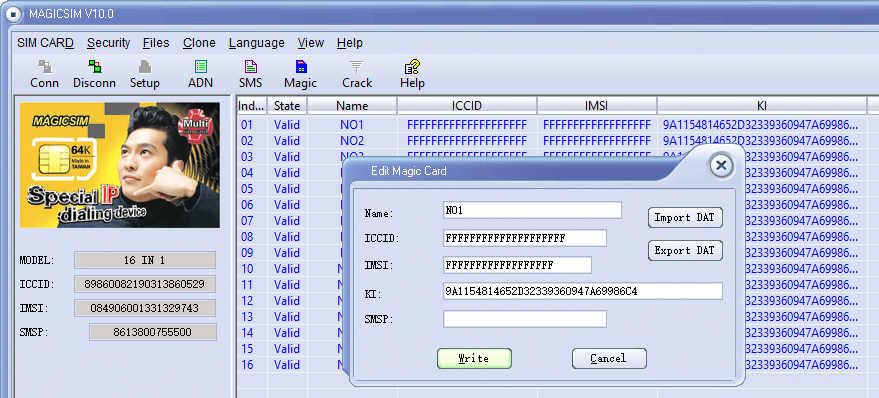
A neat trick, I’d love a LTE version of this for changing values on the fly, but it’d be a pretty niche item considering no operator is going to give our their K and OPc keys,

But come to think of it, no GSM operator would give out K keys, so how do you get the K key from your commercial operator?

I noticed the grayed out “Crack” icon on the menu.

After rifling through my SIM drawer I found a few really old 2G SIMs, stuck one in, reconnected and clicked “Crack” and then start.
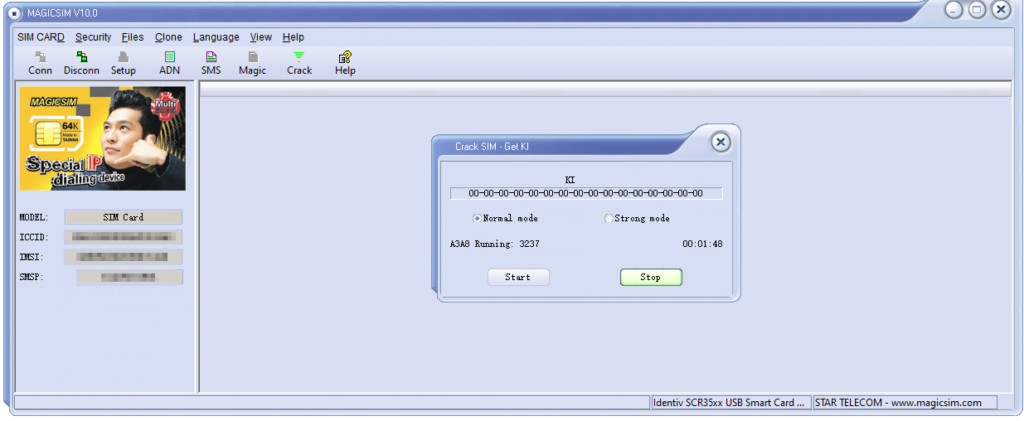
I left it running in the background after the manual suggested it could take up to 24 hours to run through all the codes.

To my surprise after 2 minutes the software was requesting I save the exported data, which I did.
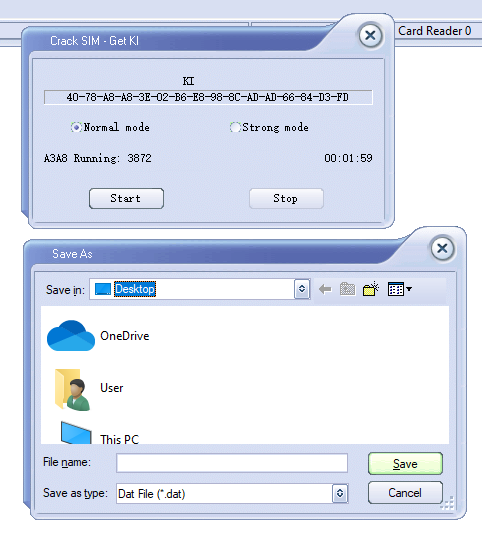
Then I put the 16 in 1 back in, selected Magic and then imported the cracked SIM data (IMSI, ICCID, Ki & SMSp).

By the looks of it the software is just running a brute force attack on the SIM card, and the keyspace is only so large meaning it can be reversed in.

I did a bit of research to find out if this is exploiting any clever vulnerabilities in UCCID cards, but after running some USB Pcap traces it looks like it’s just plain old brute force, which could be easily defended against by putting a pause between auth attempts on the SIM.

I’ve no idea if that’s the actual K value I extracted from the SIM – The operator that issued the SIM doesn’t even exist anymore, but I’ll add the details to the HLR of my Osmocom GSM lab and see if it matches up.

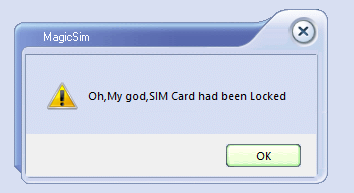
Out of curiosity I also connected some of my development USIM/ISIM/SIM cards that I can program, the software is amazing in it’s response:
Configuring YateBTS for Software Defined GSM/GPRS

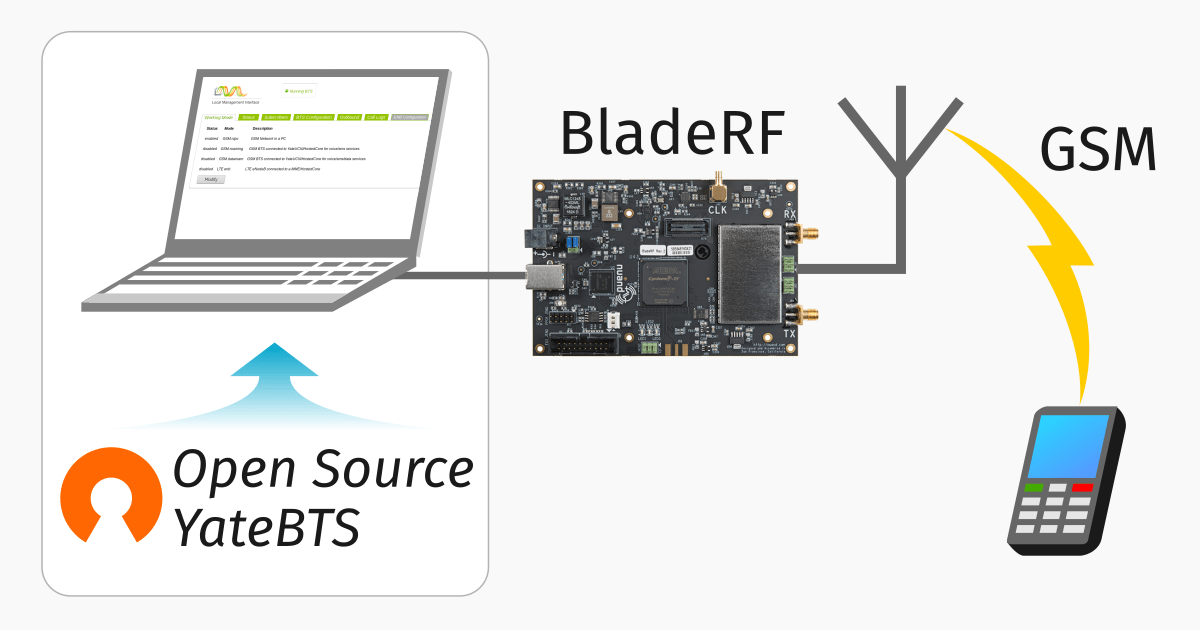
I did a post yesterday on setting up YateBTS, I thought I’d cover the basic setup I had to do to get everything humming;

Subscribers

In order to actually accept subscribers on the network you’ll need to set a Regex pattern to match the prefix of the IMSI of the subscribers you want to connect to the network,

In my case I’m using programmable SIMs with MCC / MNC 00101 so I’ve put the regex pattern matching starting with 00101.

BTS Configuration

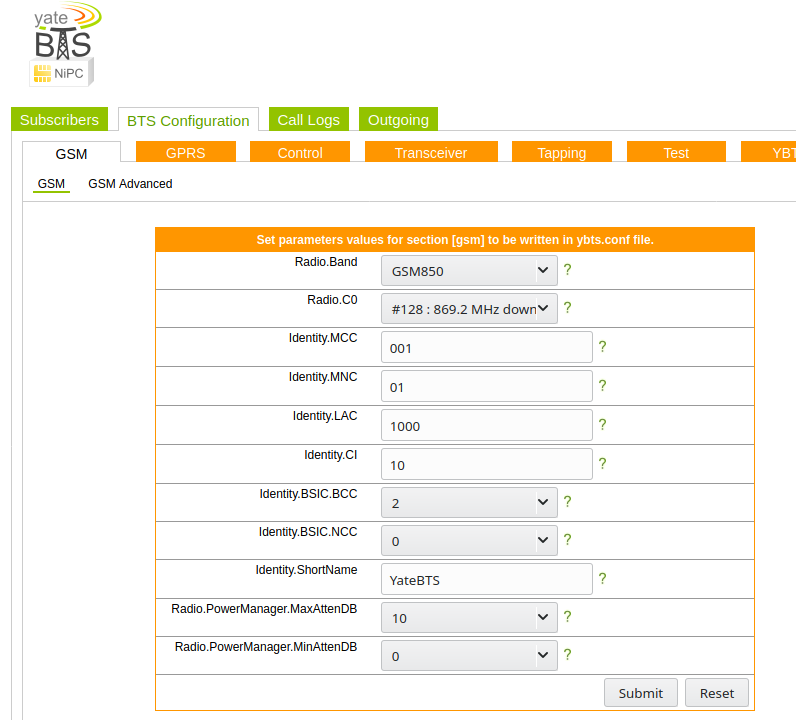
Next up you need to set the operating frequency (radio band), MNC and MCC of the network. I’m using GSM850,

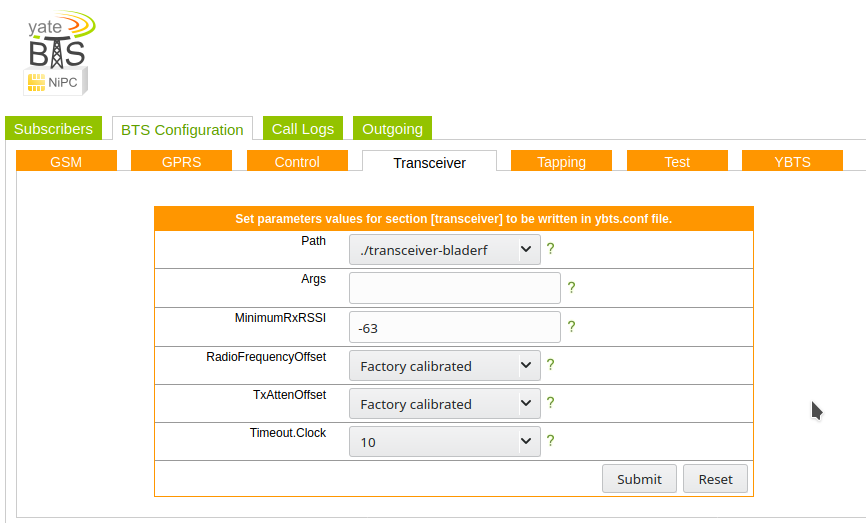
Next up we’ll need to set the device we’re going to use for the TX/RX, I’m using a BladeRF Software Defined Radio, so I’ve selected that from the path.

Optional Steps

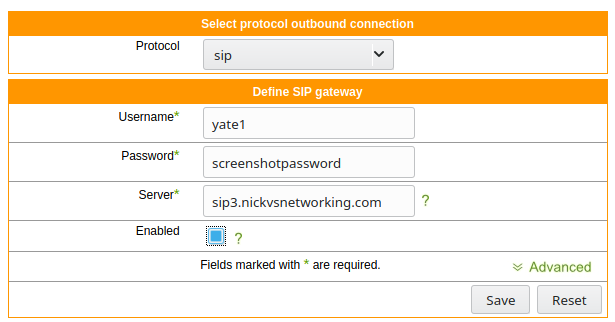
I’ve connected Yate to a SIP trunk so I can make and receive calls,

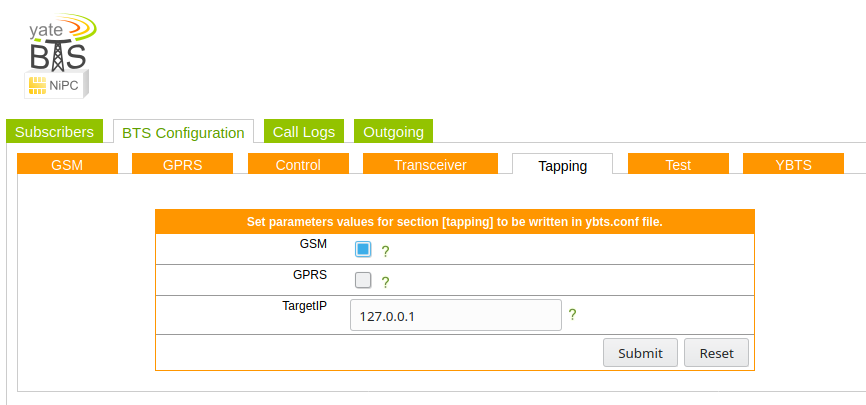
I’ve also put a tap on the GSM signaling, so I can see what’s going on, to access it just spin up Wireshark and filter for GSMMAP

Authentication Vectors and Key Distribution in LTE

Querying Auth Credentials from USIM/SIM cards

LTE has great concepts like NAS that abstract the actual transport layers, so the NAS packet is generated by the UE and then read by the MME.

One thing that’s a real headache about private LTE is the authentication side of things. You’ll probably bash your head against a SIM programmer for some time.

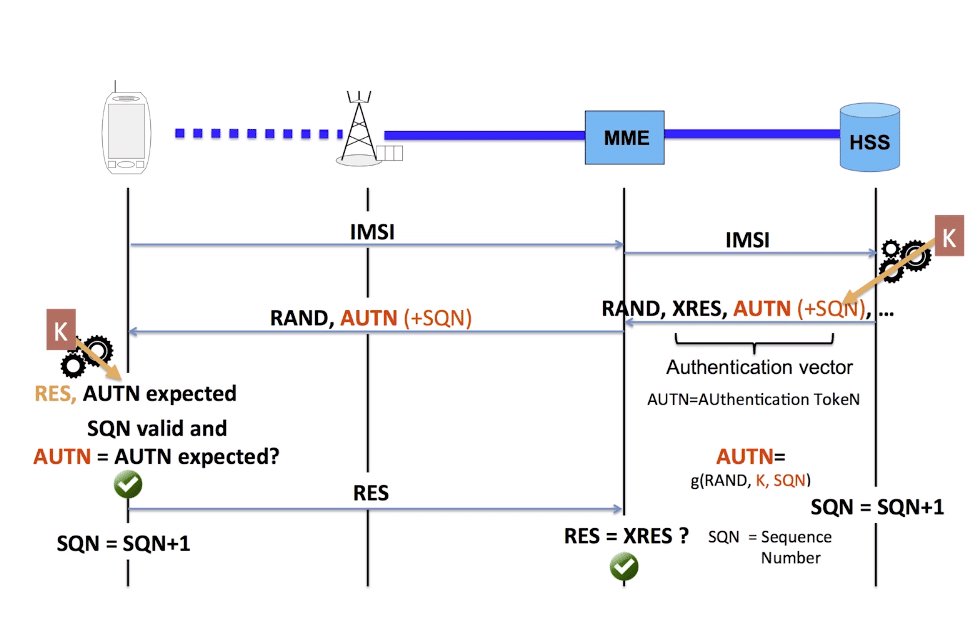
As your probably know when connecting to a network, the UE shares it’s IMSI / TIMSI with the network, and the MME requests authentication information from the HSS using the Authentication Information Request over Diameter.

The HSS then returns a random value (RAND), expected result (XRES), authentication token (AUTN) and a KASME  for generating further keys,

The RAND and AUTN values are sent to the UE, the USIM in the UE calculates the RES (result) and sends it back to the MME. If the RES value received by the MME is equal to the expected RES (XRES) then the subscriber is mutually authenticated.

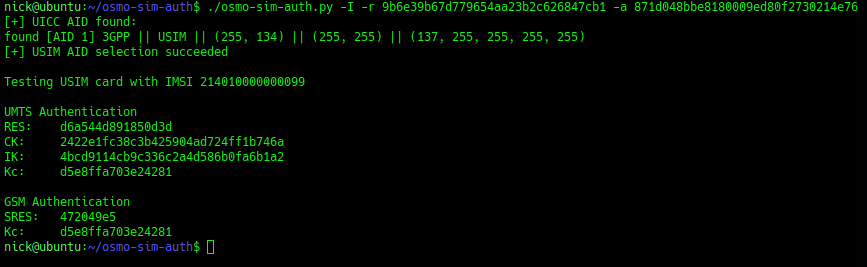
The osmocom guys have created a cool little utility called osmo-sim-auth, which allows you to simulate the UE’s baseband module’s calls to the USIM to authenticate.

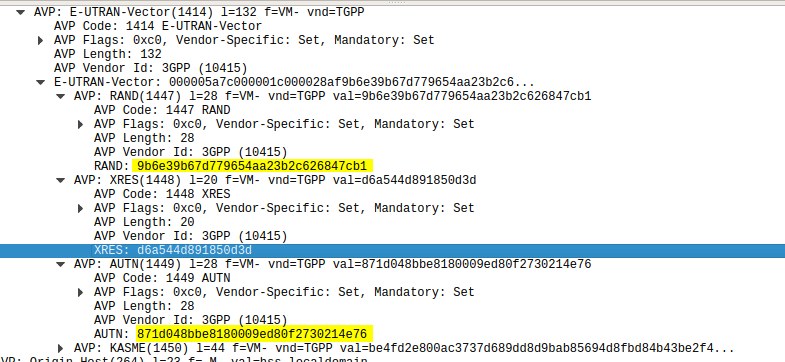
Using this tool I was able to plug a USIM into my USIM reader, using the Diameter client built into PyHSS I was able to ask for Authentication vectors for a UE using the Authentication Information Request to the HSS and was sent back the Authentication Information Answer containing the RAND and AUTN values, as well as the XRES value.

Wireshark Diameter Authentication Information Response message body looking at the E-UTRAN vectors
Diameter – Authentication Information Response showing E-UTRAN Vectors

Then I used the osmo-sim-auth app to query the RES and RAND values against the USIM.

Osmocom's USIM Test tool - osmo-sim-auth

The RES I got back matched the XRES, meaning the HSS and the USIM are in sync (SQNs match) and they mutually authenticated.

Handy little tool!

Building Android APN / Carrier Config

As anyone who’s setup a private LTE network can generally attest, APNs can be a real headache.

SIM/USIM cards, don’t store any APN details. In this past you may remember having to plug all these settings into your new phone when you upgraded so you could get online again.

Today when you insert a USIM belonging to a commercial operator, you generally don’t need to put APN settings in, this is because Android OS has its own index of APNs. When the USIM is inserted into the baseband module, the handset’s OS looks at the MCC & MNC in the IMSI and gets the APN settings automatically from Android’s database of APN details.

There is an option for the network to send the connectivity details to the UE in a special type of SMS, but we won’t go into that.

All this info is stored on the Android OS in apns-full-conf.xml which for non-rooted (stock) devices is not editable.

Instead the devices get updates through the OS updates which pull the latest copy of this file from Google’s Android Open Source Git repo, you can view the current master file here.

This file can override the user’s APN configuration, which can lead to some really confusing times as your EPC rejects the connection due to an unrecognized APN which is not what you have configured on the UE’s operating system, but it instead uses APN details from it’s database.

The only way around this is to change the apns-full-conf.xml file, either by modifying it per handset or submitting a push request to Android Open Source with your updated settings.

(I’ve only tried the former with rooted devices)

The XML file itself is fairly self explanatory, taking the MCC and MNC and the APN details for your network:

<apn carrier="CarrierXYZ"
      mcc="123"
      mnc="123"
      apn="carrierxyz"
      type="default,supl,mms,ims,cbs"
      mmsc="http://mms.carrierxyz.com"
      mmsproxy="0.0.0.0"
      mmsport="80"
      bearer_bitmask="4|5|6|7|8|12"
/>

Once you’ve added yours to the file, inserting the USIM, rebooting the handset or restarting the carrier app is all that’s required for it to be re-read and auto provision APN settings from the XML file.

Further reading

APN and CarrierConfig | Android Open Source Project

Carrier Configuration | Android Open Source Project

UICC Carrier Privileges | Android Open Source Project

/etc/apns-full-conf.xml – Master Branch